
How Many Buttons Do You Need on Leverless Controller?
When preparing an all-button controller for your preferred fighting game, you might be surprised to discover that a single question can complicate your layout choice: exactly how many buttons do you need? An 8-button arrangement may be sufficient for all your essential actions, but a controller with 16 or 17 buttons will offer more scope for extra action buttons. But do additional buttons make the gameplay easier or give you additional commands to deal with?
The distinction boils down to the way you play. Certain game players like a basic configuration that ensures that their most critical inputs are easy to gain access to. Other gamers, on the other hand, require dedicated buttons that are used in frequently conducted actions, mainly in games employing Assists, character switching, and similarly sophisticated games. Understanding what those extra buttons can—and cannot—do will help you choose a layout that fits your needs.
What Do the Buttons on Leverless Controller Do?
Leverless controllers replace the traditional joystick with directional buttons, while the remaining buttons handle attacks and other in-game actions. Understanding these two groups helps explain why different button configurations suit different players.
Directional Buttons vs. Attack Buttons
Movement control comes from the directional buttons, which are typically used with the left hand. Offensive inputs are created with the attack buttons, the amount of which differs by the game. For instance, in Street Fighter 6, players can make six principal attacks using three punches and three kicks. Other games could have fewer attack buttons or use them for different actions like assists and character switching.
What Are Extra Buttons Used For?
Extra buttons provide more options for assigning frequently used actions, such as Dash, Throw, Parry, or Assist, depending on the game’s control settings. Instead of pressing two buttons together, players may be able to assign an action to a dedicated button, making it easier to execute consistently.
However, extra buttons do not automatically mean extra actions to perform during the game. Their efficiency depends on the possibility of inputting them into the game and the available options in the controller configuration design.
8-Button vs. 12-Button vs. 16-Button Leverless Controllers
The difference between these configurations is not simply that one is better than another. Each offers a different balance between simplicity and customization.
| Configuration | Main advantage | Potential drawback |
| 8 buttons | Simple, familiar layout | Less room for dedicated extra inputs |
| 12 buttons | More options for frequently used functions | Requires some adjustment to the layout |
| 16 or more buttons | Greater flexibility for custom mappings | More buttons to reach, organize, and remember |
Button counts are not always directly comparable across brands. Some manufacturers count only certain control buttons, while others include additional function buttons. Check the actual layout and specifications rather than relying on the number in a product name alone.
Is an 8-Button Leverless Controller Enough?
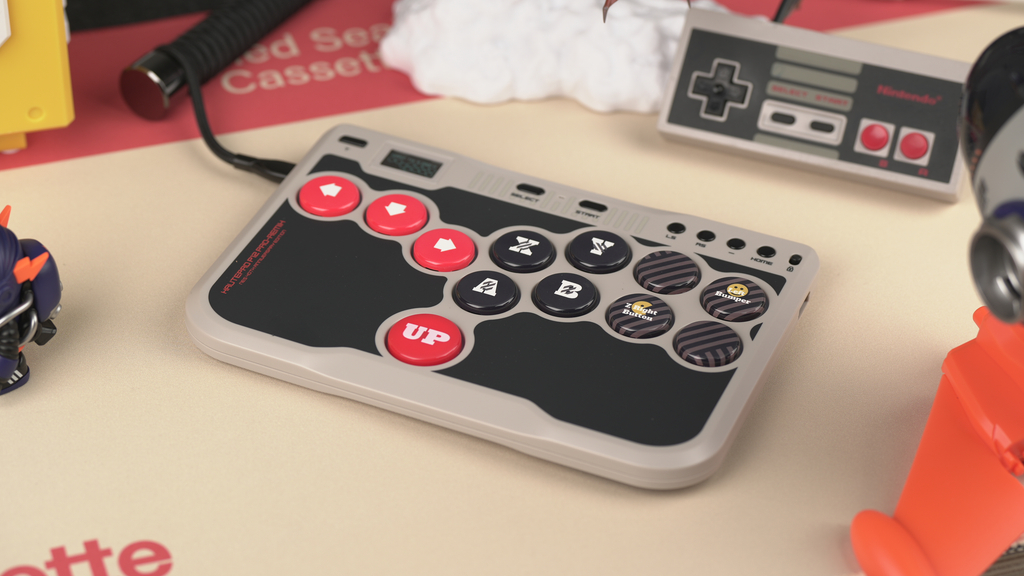
An 8-button layout should be sufficient for most gamers to perform fundamental moves in any traditional fighting game. Due to its unambiguous design, players can take care of movements, combos, and defense without worrying about switching to another layout. However, some games may offer more actions like Dash, Throw, or Assist that players could want to use more frequently. Depending on the game’s settings, these actions might be assigned either to specific buttons or combinations of buttons.
When Do Extra Buttons Actually Help?
Extra buttons are highly beneficial when it comes to making the tasks simpler. For instance, in case the gamers need to deal with performs or character switching frequently while playing the particular game, having the buttons for those actions will be preferred by the users. It is especially true in case the player switches within different games on a regular basis.
When selecting the controller with additional buttons, make sure to take into account the tasks you need additional buttons for and whether they are comfortable for you to reach or not.
How Many Buttons Do You Need for Different Fighting Games?
The right configuration depends partly on the game’s control system. Two fighting games may place very different demands on the same controller.
Traditional Fighting Games
In Street Fighter 6, players primarily work with six attack inputs, directional movement, and additional actions such as Drive Impact, Drive Parry, and Throw.
An 8-button layout can be sufficient for many players. Depending on personal preference, some may assign frequently used functions to additional buttons, while others are comfortable using combinations or the game’s available control settings.
The important question is whether your current layout allows you to perform the actions you use regularly without awkward finger movement or frequent input errors.
Team-Based Fighting Games
Games such as MARVEL Tōkon: Fighting Souls introduce additional considerations because players manage a team of characters and use mechanics such as assists and character switching.
These systems can make extra buttons attractive, especially when a player wants certain actions to have dedicated inputs. However, the actual requirement depends on the game’s control options and the player’s preferred mappings.
A controller with many buttons can permit a lot of choices but not necessarily provide an advantage. Firstly, a player needs to think about how they will be using the controller and what they need to perform those functions properly.
How to Decide Whether You Need More Buttons
If you are unsure which configuration to choose, consider these four questions.
1. Do you frequently struggle to access certain actions?
If you find yourself in situations where input is lost due to some complex button combinations, it would be useful to have a button made specifically to perform the action. However, if you’d rather learn better use of controls, it would be better to become more accustomed to the buttons than to replace the keyboard altogether.
2. Do you regularly use several additional functions?
If you find yourself frequently using controls such as Dash, Throw, Assist, and so on, then additional buttons may be very useful to you. However, those who do not use these actions often may not benefit much from various button configurations.
3. Are the buttons comfortable to reach?
The positioning of the buttons is as vital as how many buttons the device has in total. The complexities of using the controller do not arise from the number of buttons available on it since pressing them is an issue of dexterity.
Checking the sizes and spacing of a person’s hands can considerably help in choosing the right controller. It goes without saying that people should ensure the suitability of the button layout before purchasing a device.
4. Do you need different configurations for different games?
Whenever you change between multiple fighting games, go for one gamepad that makes the mappings available. Even if the gamepad has extra physical buttons, it still must have a consistent layout.
Should You Buy Leverless Controller With Extra Buttons?
If you often have to execute extra in-game actions, prefer independent buttons to button combinations and do not want to limit your options when designing the layout of the device, you may find it useful to consider the leverless type of controller with additional buttons, although if you have already found a suitable standard layout, the expense would not pay off.
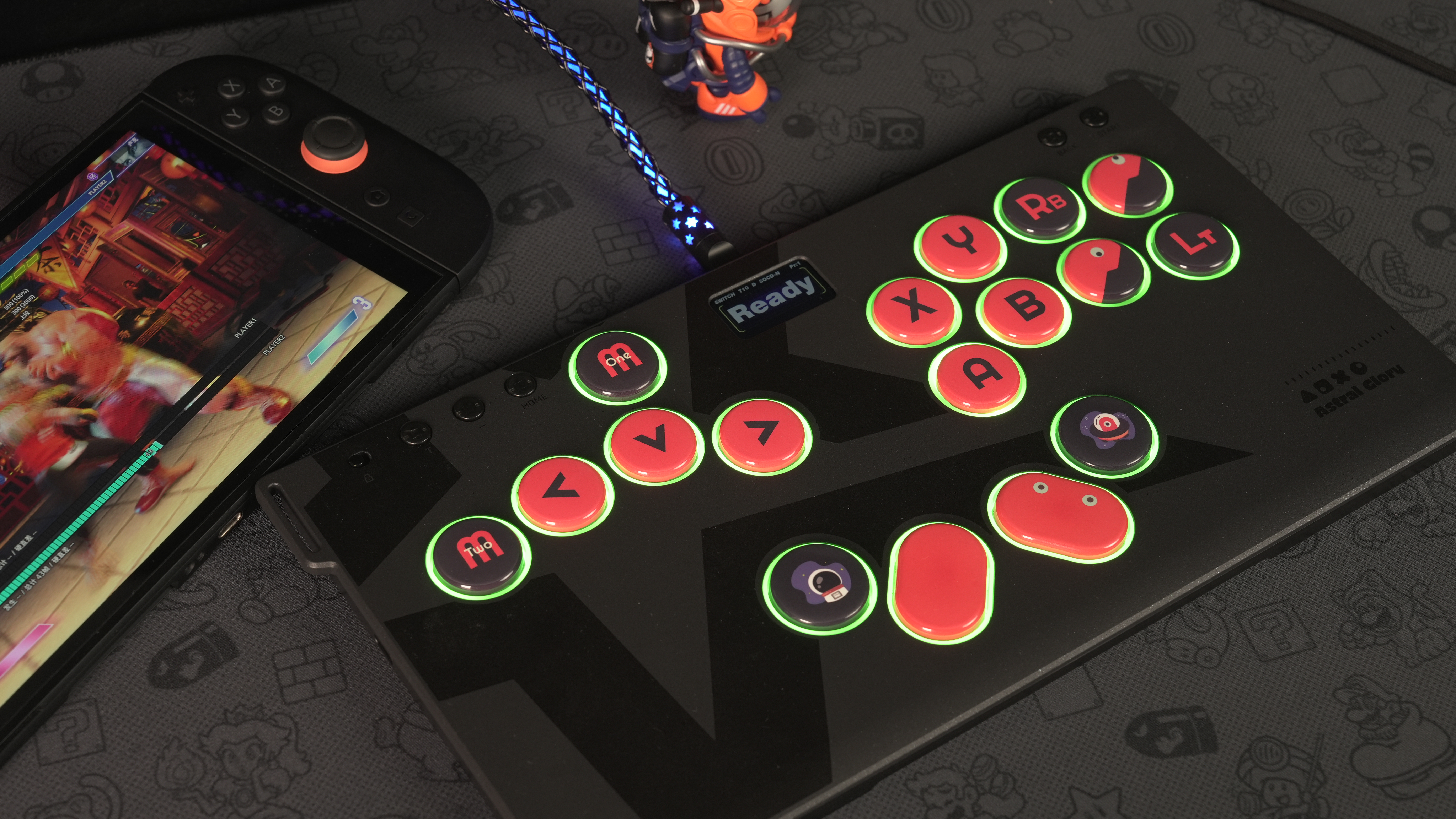
For those gamers who are interested in customizing their controls, HautePad Emotion III-17 presents an opportunity to do so already thanks to its 17-button layout. But before you make a choice, make sure that the additional buttons are suited to your type of games and within your reach.
Conclusion
Before choosing the configuration of your controller, it is good to consider the games you usually play, the controlling elements, and whether the configuration is convenient for your usage.
No matter whether you decide to get an easy 8-button setup or to opt for some complicated controller model like HautePad Emotion III-17, it is necessary to keep usability in the first place when choosing it. The best configuration is the one where controlling is the easiest.